
If a founder/owner of a company wants to transfer that ownership an admin will need to do this to ensure licenses are transferred appropriately.
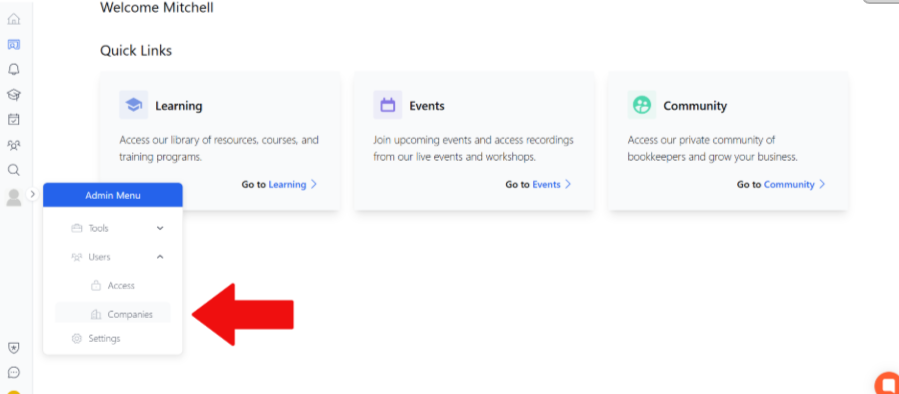
Hover over Admin Settings, select the Users drop-down menu and then companies
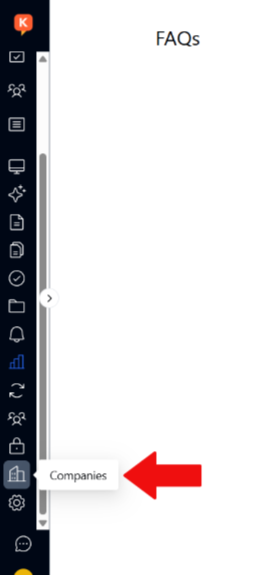
If already in the admin menu, select the companies option from the sidebar
Select the company

If there is no company showing, the user has not set up a company profile, and therefore, you will not have to change the founder ownership. You can have the new user set up the company and assign the appropriate user access.
Click the update icon next to the company founder name
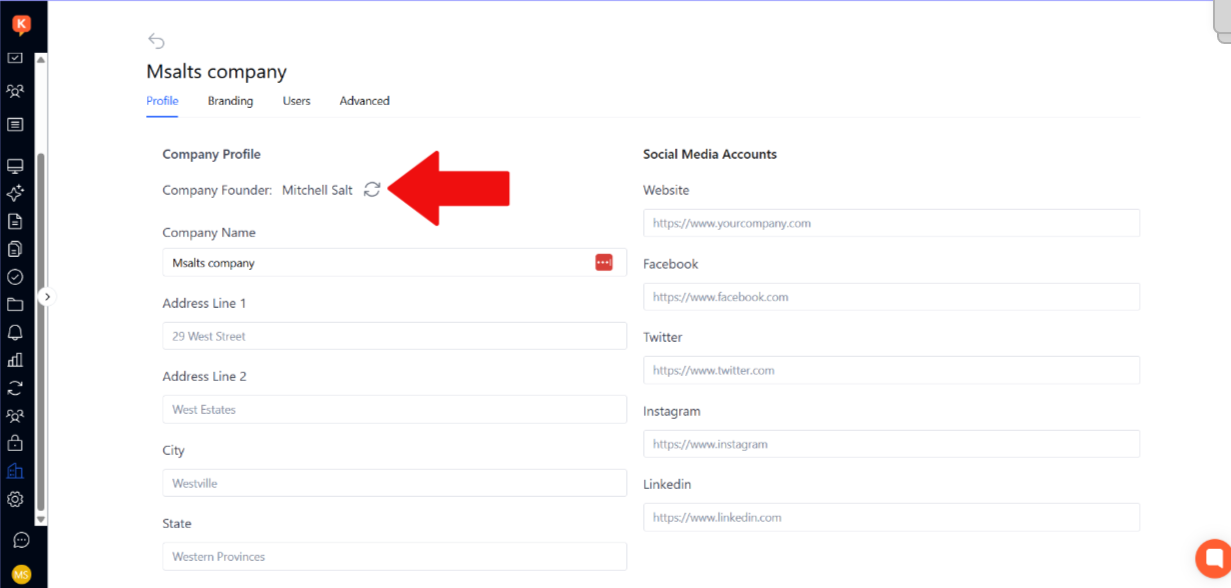
Select the user who will be the new owner.
If the user is not showing, that user has not been linked to the company. Go to Users and add the user there. See add User to Company instructions.
See video for a full run through.