
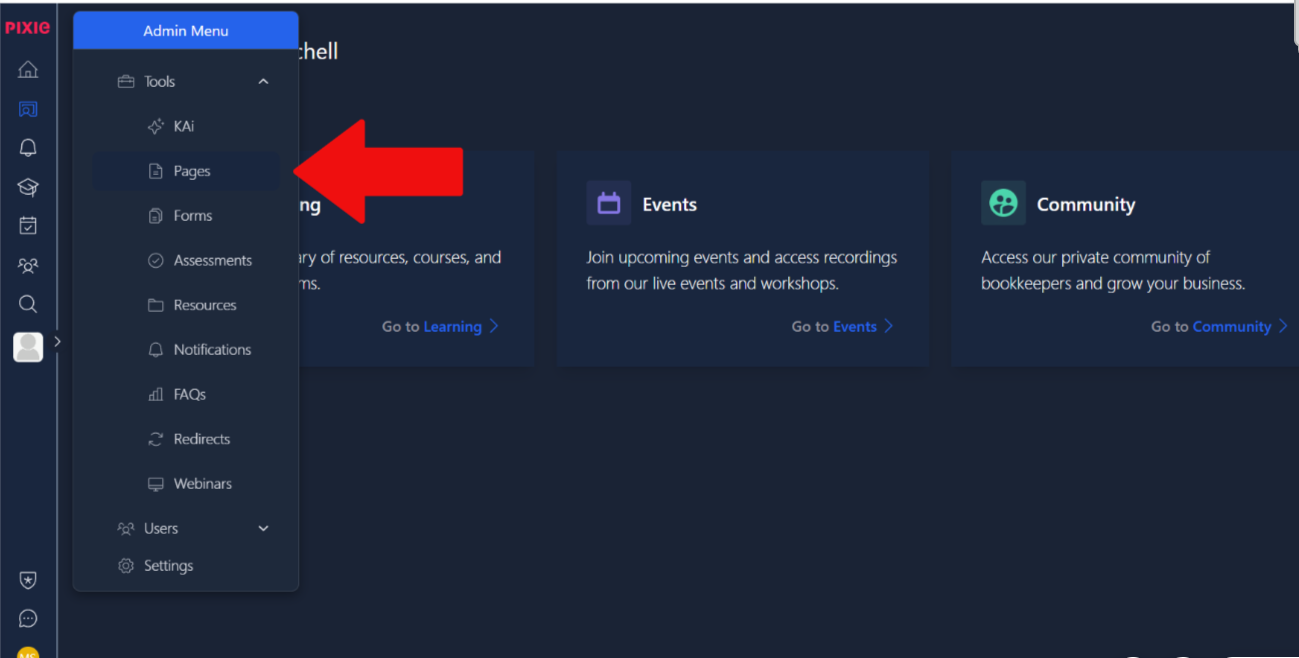
To access the page builder, click on the admin menu and under tools and select pages. This is shown in the image below.
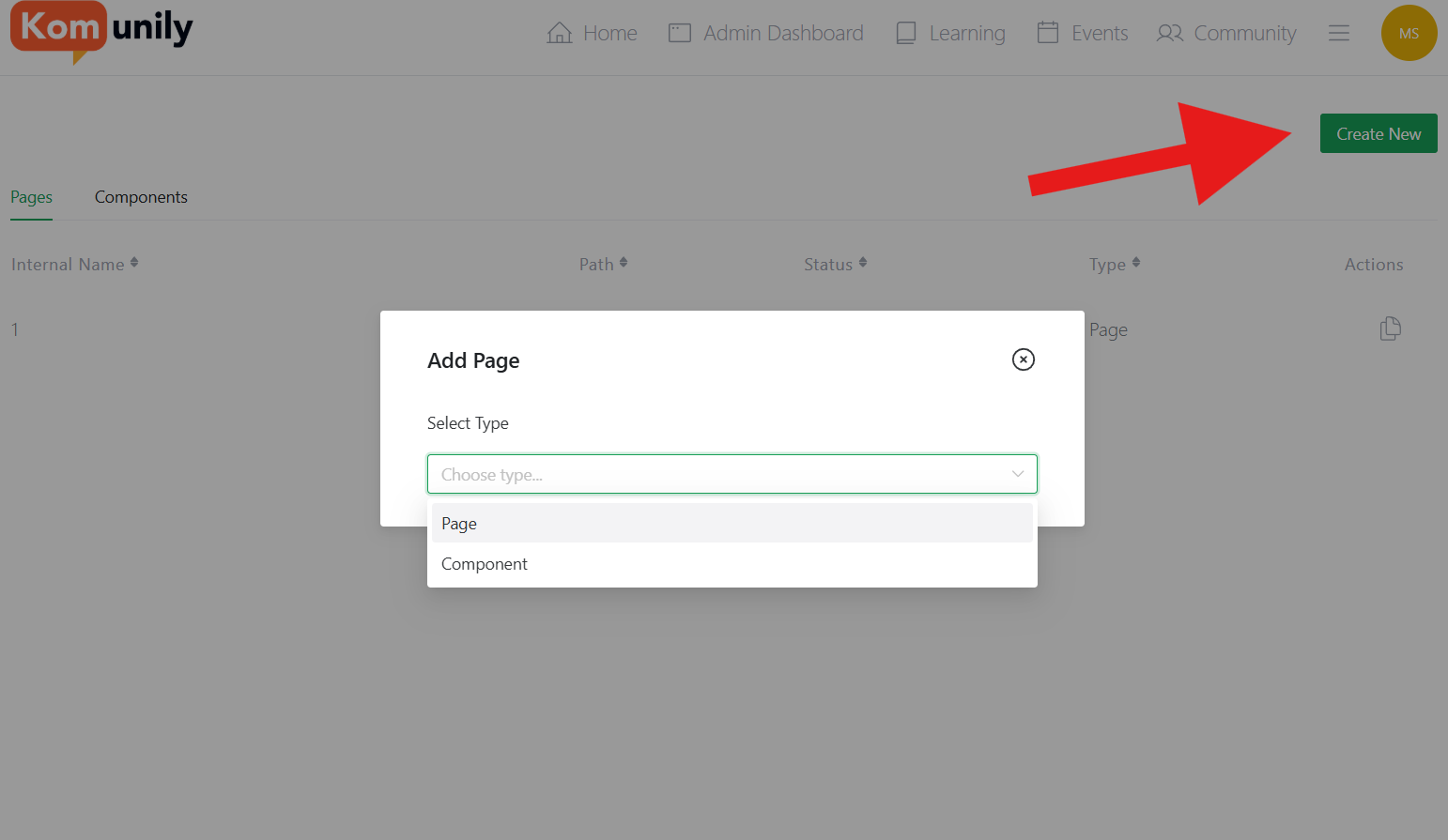
From there, select the Create new option shown in the background of the image below, and then you shall have the choice of creating a component or a page. A component is a reusable section of a page for the page builder.
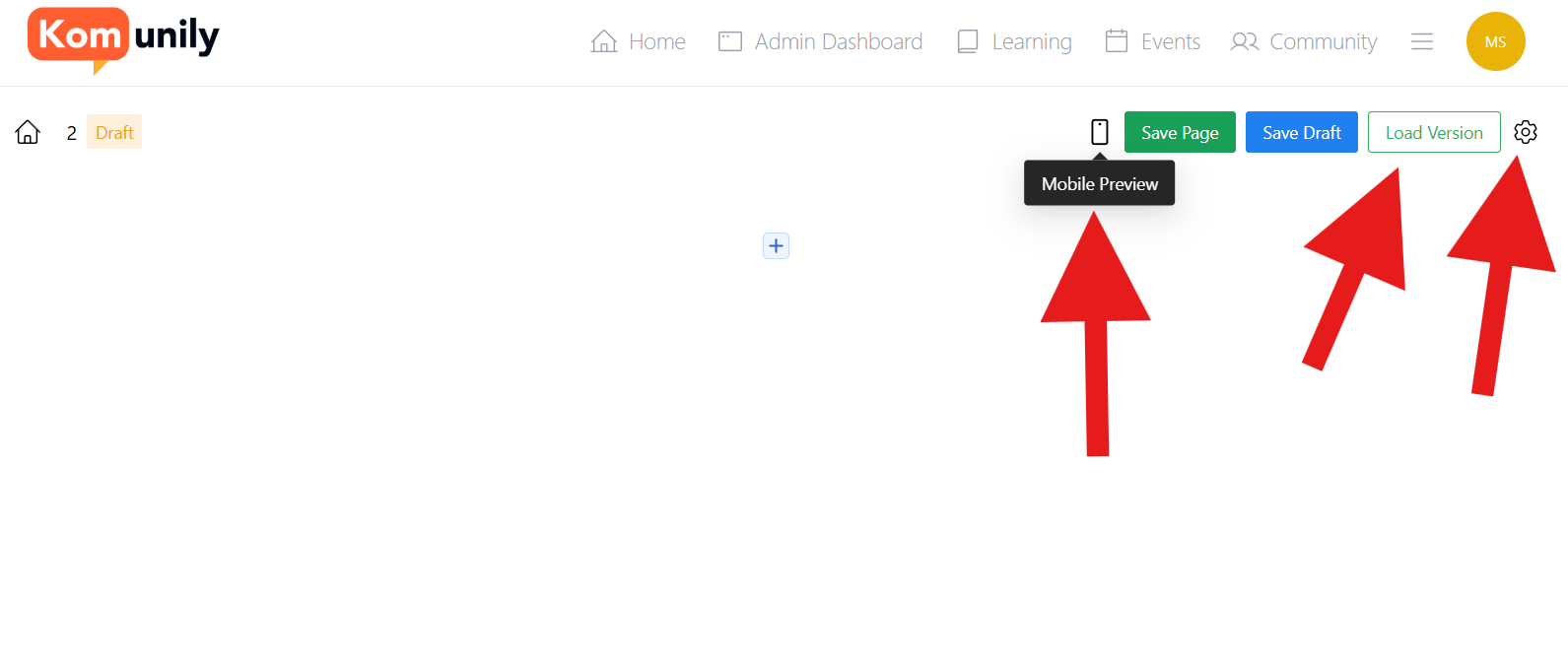
Once you select your type, you will be prompted to choose a name for your page, and then we can get to the building. Your page should look like the image below. There are a few notable features on this page before we get into the page building. Firstly, there’s a mobile view so that you can see how your created page would look on typical phones. Secondly, there’s a Load Version button which allows you to select older versions of pages before or after changes, allowing you to hold several ideas until you find the right one. Lastly is the page settings, in here you can add CSS styling, and change the name of the page and the page status.
Now, onto the page building. There are many features that you can use to add to your page. To add these, you click on the + symbols available on the screen, like in the image below and keep adding the various features from there and before long, you will have a great page.
