
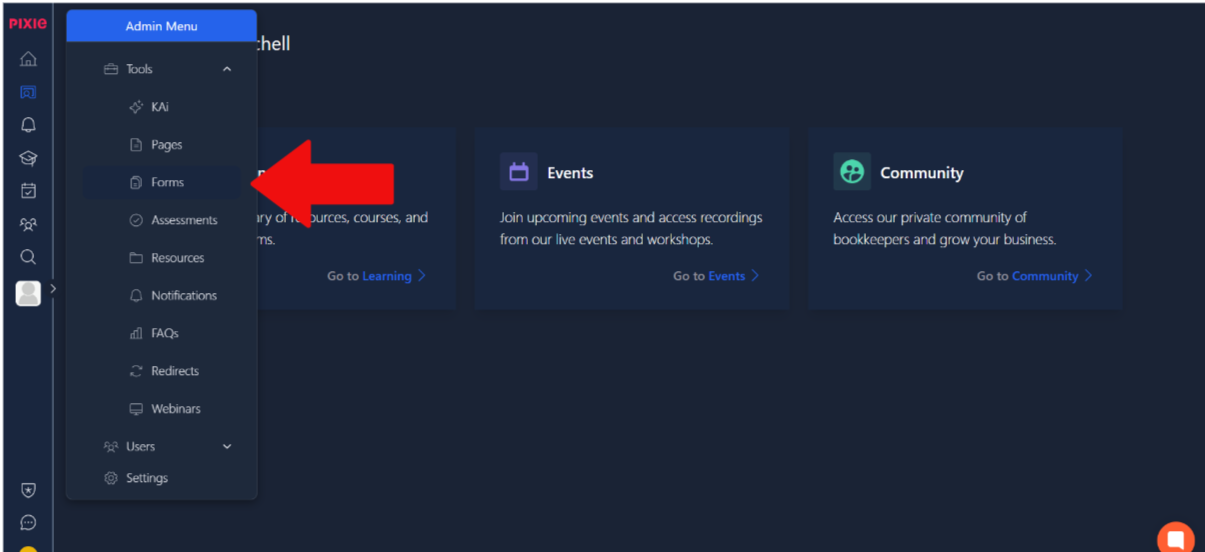
To start making forms, click on the admin menu and under tools select forms. This is shown in the image below.
Once on that page, in the top right corner, you can select the option to add a form, upon which you will be prompted to give it a name. From there, you can use the several tabs marked in the image to set up your form with settings, preview it with the preview tab and lastly, view the submitted forms from those you have sent it to.
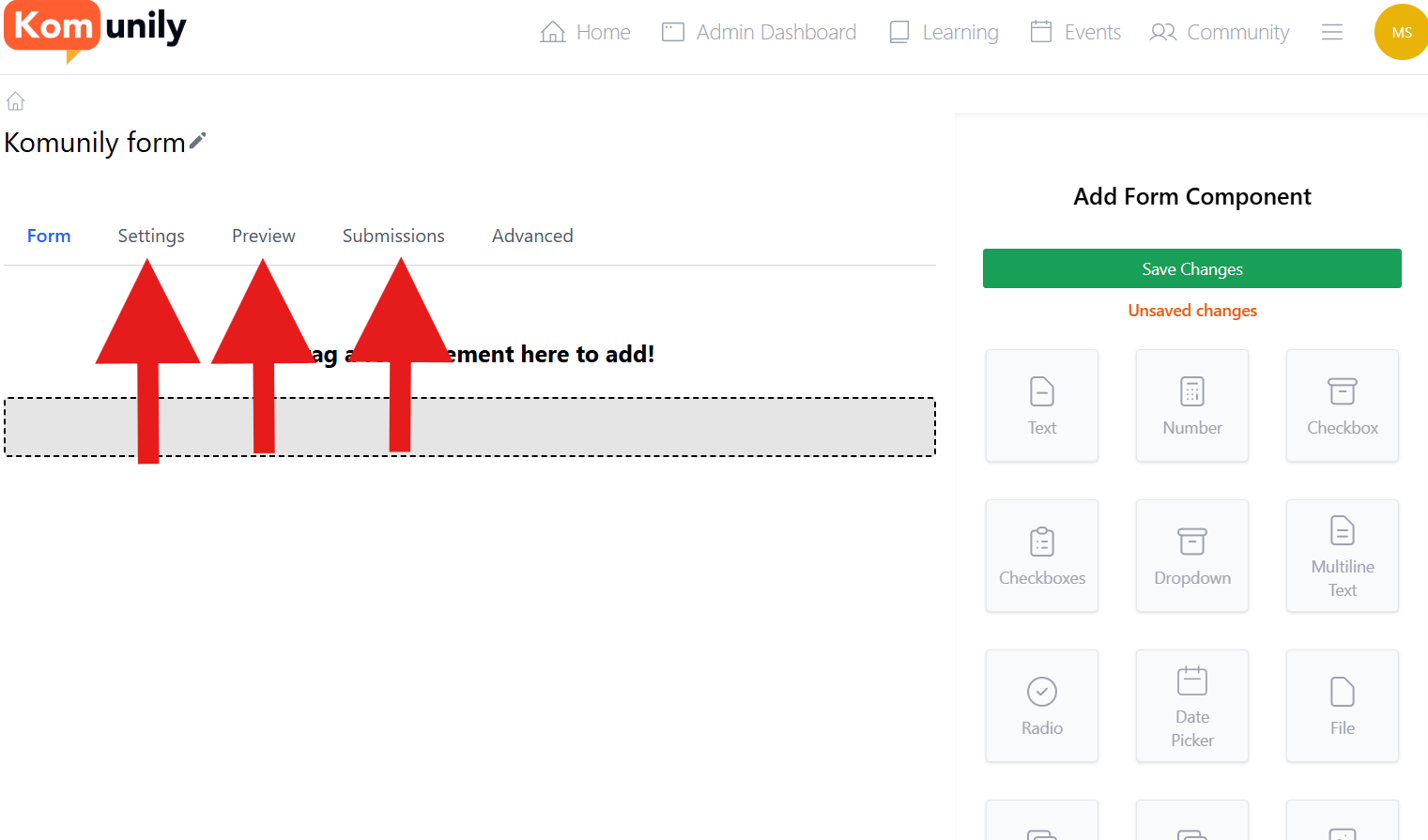
Now then, let’s get onto making the form. As you can see to the right of the screen, there are several components that you can select and add to your form. These contain things such as text responses, number responses and much more. All of these can be added together to allow you to build your form freely and as you wish.