
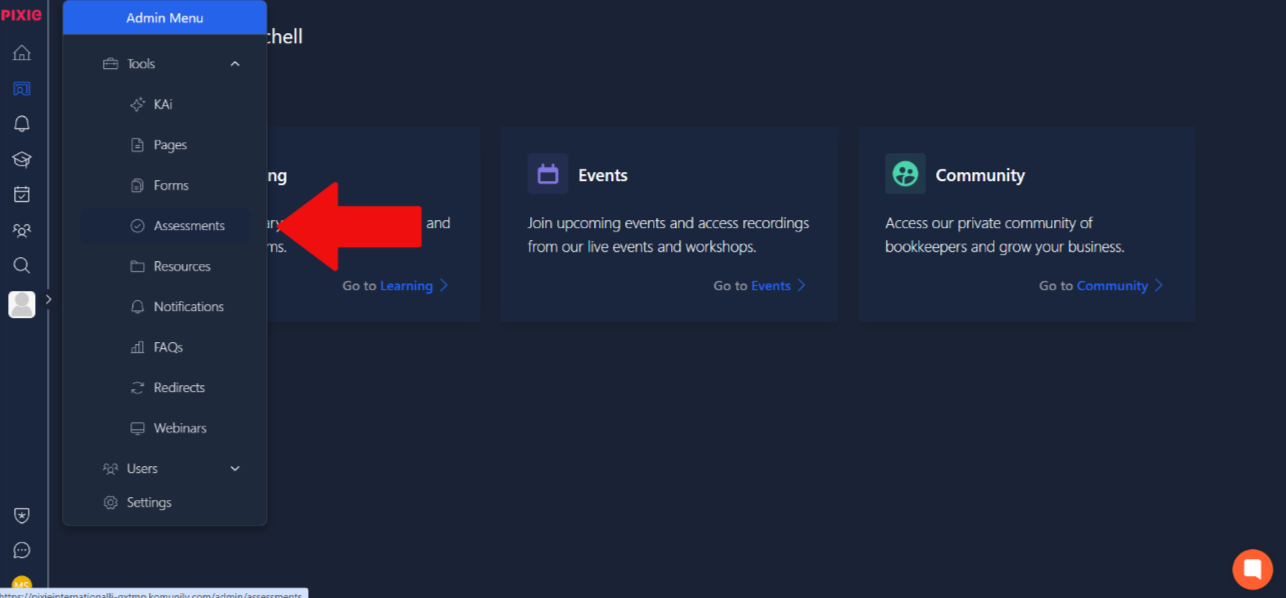
To start making assessments, click on the admin menu and under tools select assessments. This is shown in the image below.
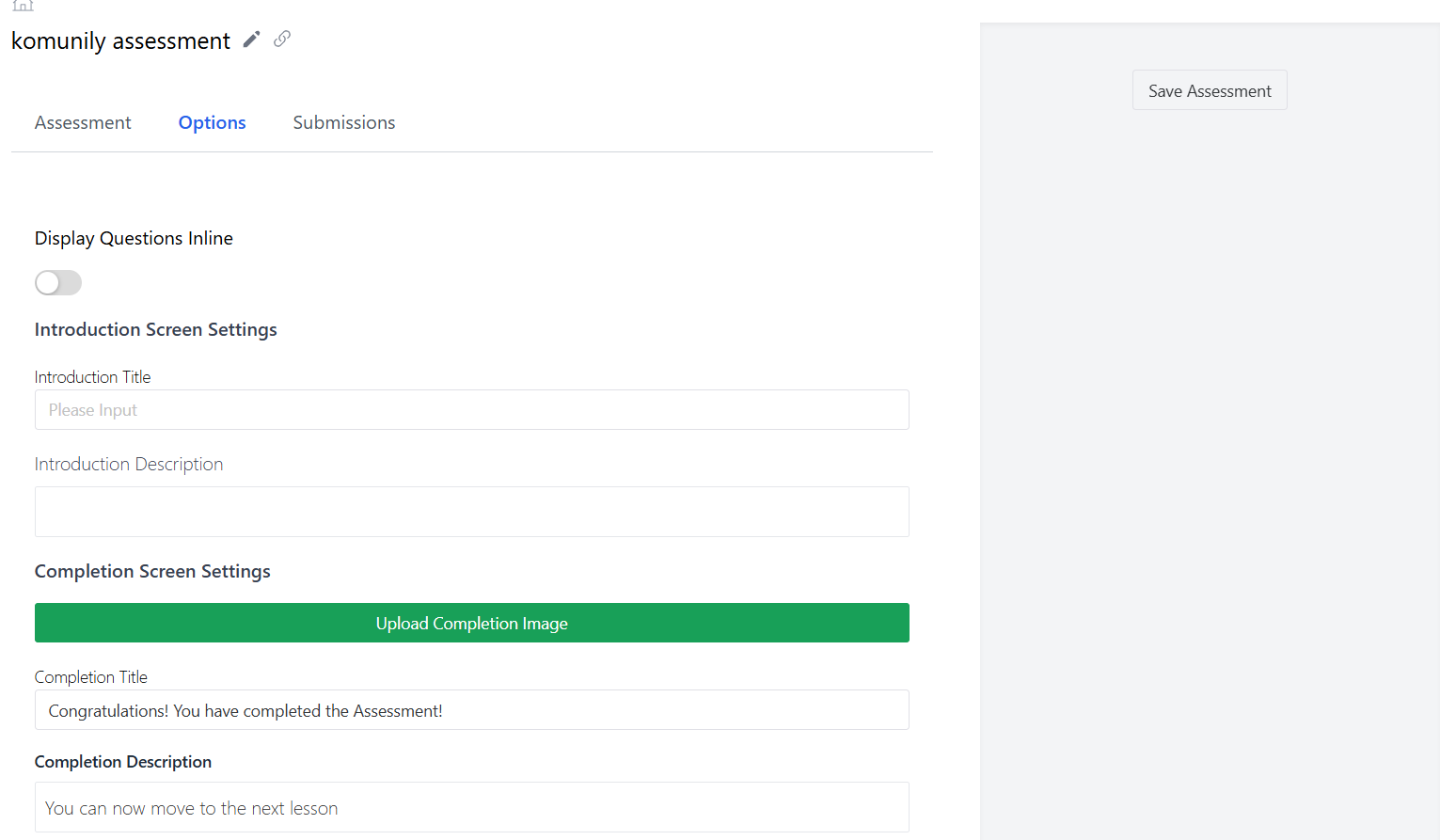
Once there, the option to add assessments should be seen in the top right corner. Once you have selected that, you will be prompted to name the assessment, which should look similar to the image below, which is the options page showing you how to set the completion details and intro details.
Now, to create your assessment, firstly, you need to drag the question element to add it to the assessment. From there, you can add your settings, questions and answers to your liking.